AI agents interact with other systems to get work done via APIs (an MCP is also just APIs). What happens when that API is not available? This can happen when:
- You don’t have sandbox access, e.g. because a vendor requires you to be a signed partner while your product is still under development
- The vendor sandbox does not support the type of agent workflows you want to test
- An internal system is not ready to give you a live endpoint yet
Over the past few weeks we asked people who build agents at banks, healthcare companies, manufacturers and consultancies how they test when they can’t reach an API the agent depends on. Here’s what we learned, and what we recommend you do if you’re facing similar challenges.
You’re testing two different things
“Does my agent work with this API?” is two questions, and they need different things.
| Question | What it covers | What you need to test it |
|---|---|---|
| Does the agent decide well? | It picks the right tool, passes the right arguments, in the right order, and recovers when a call fails | A realistic stand-in for the API |
| Does the integration work? | Credentials, permissions, network paths, and the live API behaving the way you assumed | The real service or its sandbox |
Teams get stuck in two ways. Some wait for access before testing anything, although the first question can be answered today. Others answer the first question and assume the second is also solved. A better approach is to separate your testing into layers, each targeting a different failure point.
A layered approach to agent testing
The agent only ever talks to its tools. In day-to-day testing the tools point at the simulation. The real API is used for a small check before release, and as the source of recorded traffic.
1. Put a tool interface between the agent and each API
Agent frameworks connect the model to the outside world through tools, which is where you can control what the agent talks to. During an agent run, a tool is a function the model can call. A billing agent, for example, might have tools called get_invoice and refund_payment. The model decides which tool to call and with what arguments.
Your code then runs the function and makes the HTTP request. The model only ever sees the tool, never the API, so your code decides where that request goes. Have that code read the API’s address (its base URL) from configuration. In production it points at the real API; in tests it points at a stand-in. Nothing else changes: the prompts, the tool descriptions and the orchestration are the ones that will run in production. Every other layer depends on this one.
Let’s say our billing agent calls Stripe. The production configuration points at Stripe itself:
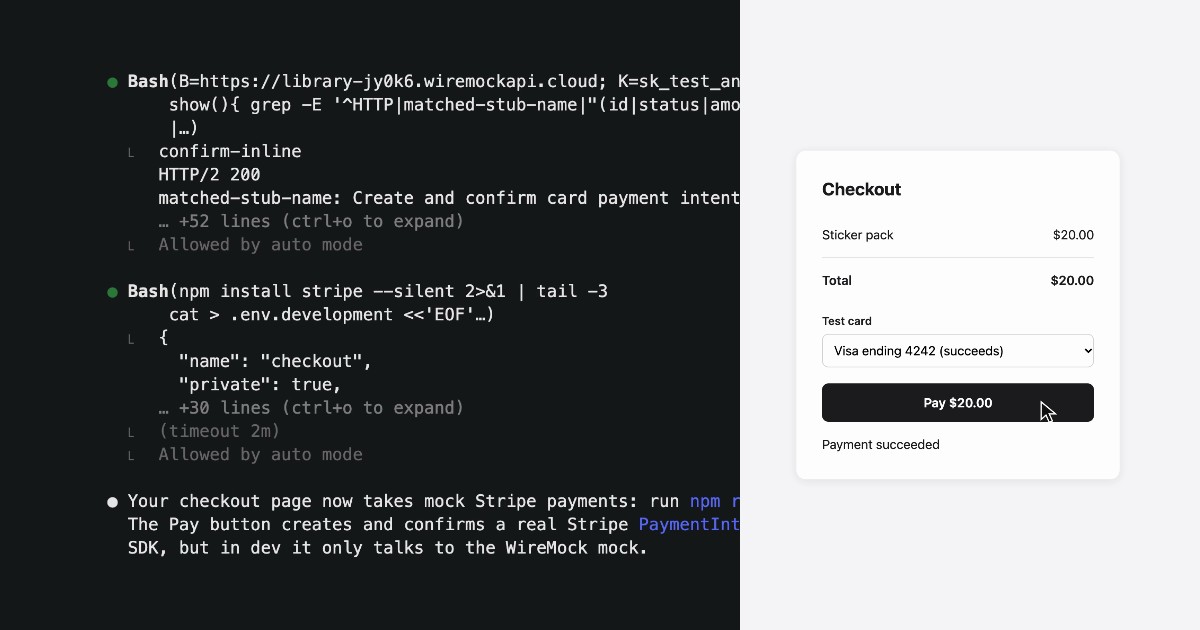
STRIPE_API_BASE=https://api.stripe.comSTRIPE_API_KEY=sk_live_...The test configuration points the same tools at WireMock’s free Stripe sandbox, which needs no sign-up and accepts any key:
STRIPE_API_BASE=https://library-jy0k6.wiremockapi.cloudSTRIPE_API_KEY=sk_test_any_value2. Give the agent a simulated environment
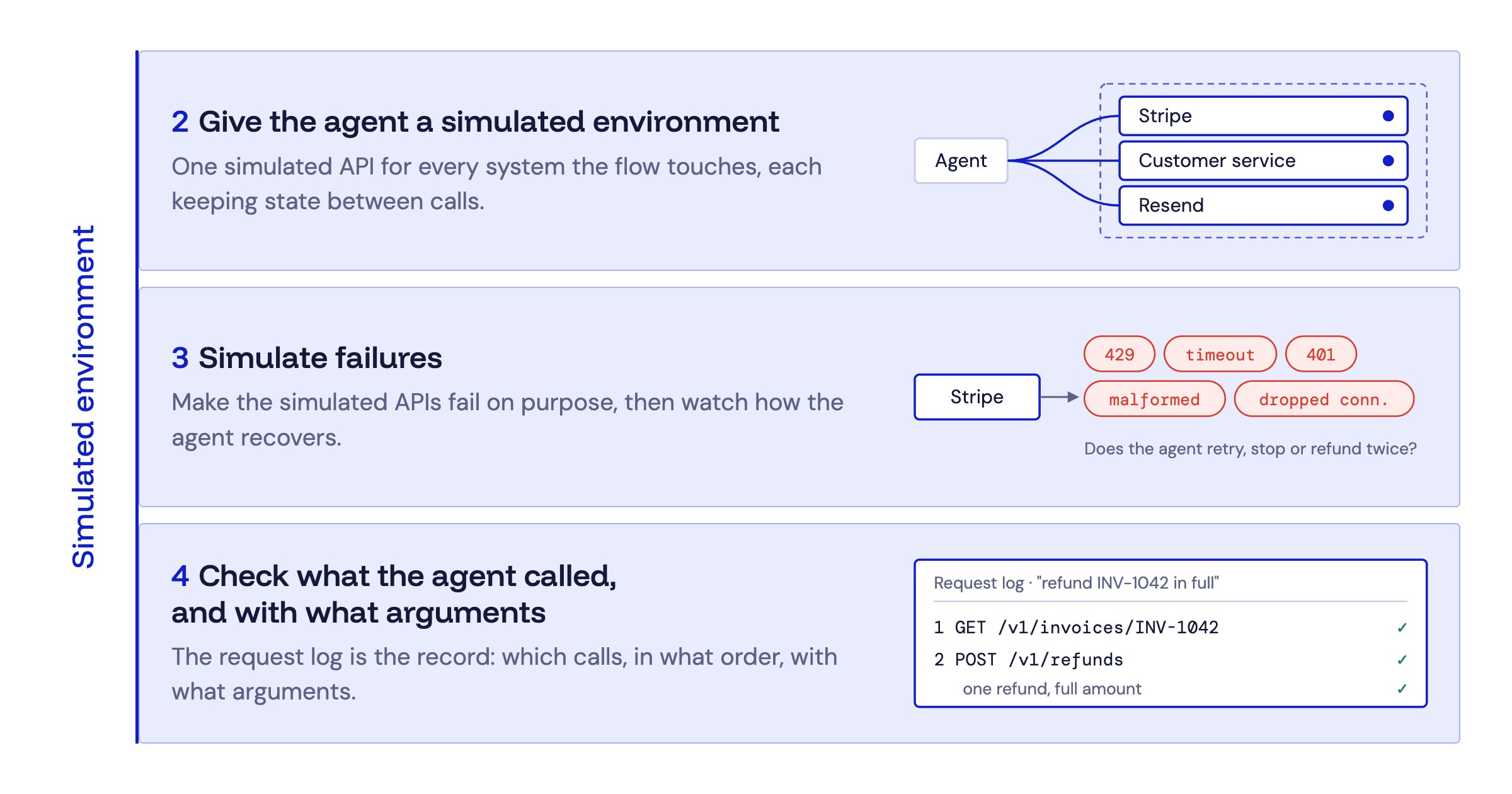
In layer 1, the test configuration pointed the agent’s tools at a stand-in. A simulated environment is the full set of stand-ins for a flow: one simulated API for every system the flow touches. When our billing agent handles a refund, it might call Stripe to issue it, an internal customer service to look up the account, and Resend to email a receipt. Testing that flow needs all three, while maintaining state.
Each simulated API behaves like the real API but has no connection to it. It accepts the same requests at the same paths and sends back responses in the same format. The agent can’t tell the difference, so it runs exactly as it would in production, and nothing it does reaches the real system: no real charges, emails or customer records.
Two ways to go about this:
- Ad-hoc mocking through your agent. You can simply ask your coding agent to create dummy data or static mocks: a few fixed responses per endpoint, enough for a first test run. Static mocks don’t keep state, though, so a multi-step flow like the refund soon breaks against them, and they live in one engineer’s repo.
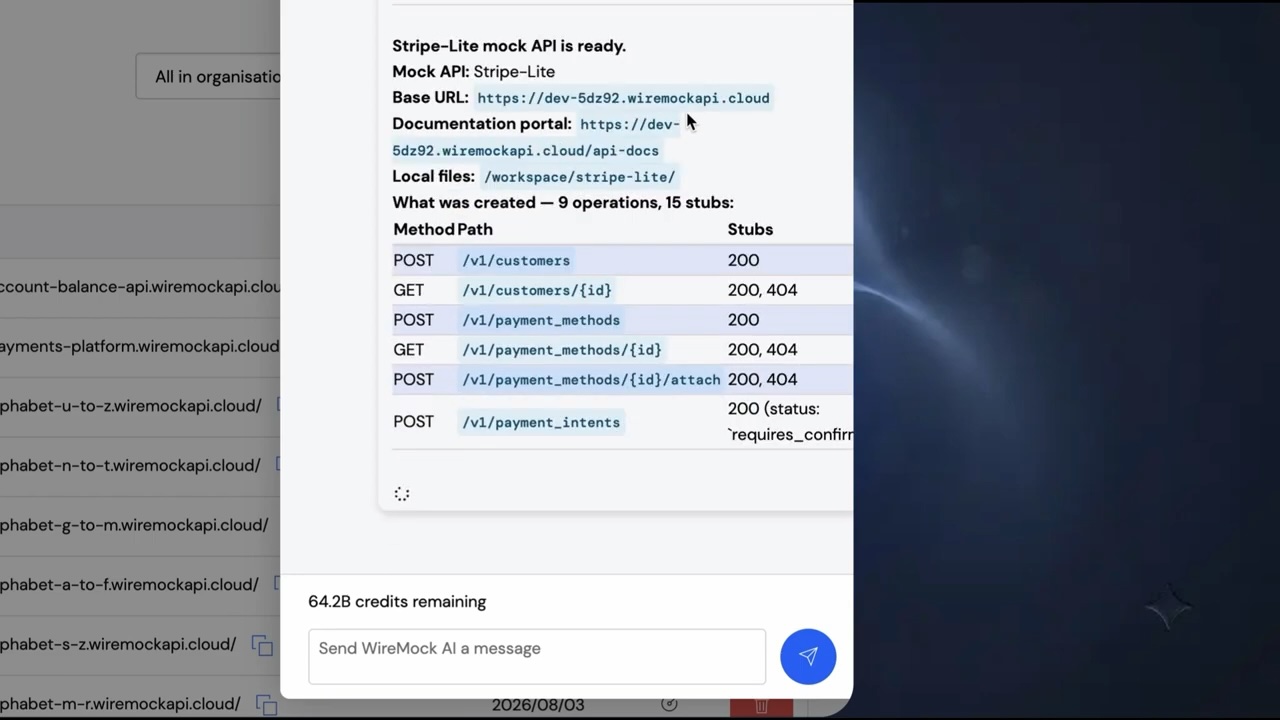
- Environment simulation as infrastructure. For an environment the whole team can rely on, connect your coding agent to the WireMock MCP server. The agent can then create a hosted simulation of each API the flow touches, from an OpenAPI spec, from your code or from a plain description, running on resilient infrastructure instead of a laptop (so you can run high-load tests as well).
3. Simulate failures
One engineering lead told us failure modes are where agents actually break, not the happy path. A real API won’t fail when you ask it to; a simulated API will, as often as you need. In the refund flow, you can make the simulated APIs fail in ways such as:
- Stripe returns a rate limit (HTTP 429) while the agent issues the refund
- The internal customer service answers too slowly and hits your timeout
- A response comes back partial or malformed
- A credential has expired (HTTP 401)
- The connection drops mid-request
For each one, watch what the agent does next. Does it retry sensibly, or hammer the endpoint? Does it stop and tell the user? Does it issue a second refund because it didn’t see the first one go through? Does it report success when nothing happened?
In WireMock Cloud, each of these is a setting on the simulated API: an error response, a delay or a network fault. Your coding agent can add them through the MCP server.
4. Check what the agent called, and with what arguments
Most agent evaluations grade the final answer. This layer checks the requests the agent made instead: which API calls, in what order and with what arguments. Each simulated API logs every request it receives, so the record is already there.
Say the billing agent is told “refund invoice INV-1042 in full”. A passing run calls get_invoice first, then calls refund_payment exactly once, for that invoice’s payment and the full amount. Two refund requests, or a refund for the wrong amount, is a failure even if the agent’s reply sounds right.
These checks give the same result on every run, so they’re cheap to repeat in CI whenever a prompt, a tool description or the model changes. In WireMock Cloud, the record is each simulated API’s request log, which your coding agent can also search through the MCP server.
5. Record real traffic as soon as you have access
A spec describes how an API should behave. The real API often differs: an undocumented field, a different error body, a pagination quirk.
When access arrives, even for a short window, record real requests and responses and add them to the simulated API. Say the internal customer service team gives you a day on their staging system: the recording captures how it actually answers, and the simulated API keeps answering that way after access is gone. Record only where you’re permitted to, and remove real customer data before recordings are shared.
In WireMock Cloud, you record by sending traffic through WireMock to the real API, and each exchange is saved to the simulated API.
6. Run the real integration check last
Keep a small set of tests that run against the real APIs or their sandboxes: for the refund flow, Stripe’s test mode, the internal customer service and Resend. Cover authentication, a contract check and one or two complete flows, and run them before a release and on a schedule.
This set is deliberately smaller. Its job is to confirm that the simulated environment still matches reality. When the two disagree, update the simulated API, so the hundreds of runs in layers 1 to 4 keep testing against something true.
What a simulation proves
A head of AI we spoke to put the risk plainly: simulated endpoints must not create a false sense of production readiness. It helps to write down which side of the line each claim sits on.
| A simulation shows that | Only the real API shows that |
|---|---|
| The agent chooses the right tool | Credentials and permissions work in production |
| It sends the right arguments, in the right order | The live API still matches its spec |
| It recovers from rate limits, timeouts and bad responses | Real latency and quotas are acceptable |
| A prompt or model change didn’t break any of this | Real data doesn’t hold a case you never simulated |
The left column is most of what goes wrong with agents, and you can test all of it before anyone grants you access. The right column is why layers 5 and 6 exist.
You can also reduce the risk of simulation drift by having your coding agent regularly record fresh traffic from the real API, or review your codebase and the API’s docs for changes, and update the simulated APIs to match.
Test your agents with WireMock Cloud
WireMock Cloud gives your agents a simulated environment to test against from day one:
- No waiting for access. Test against simulations of the APIs your agent depends on before any vendor or internal team grants you a sandbox.
- Flows that behave like the real thing. Simulations keep state, so multi-step flows like a refund work end to end.
- Failures on demand. Switch on rate limits, timeouts and bad responses to see how the agent recovers.
- A record of every call. The request log shows which endpoints the agent called, in what order and with what arguments.
- Nothing reaches production. Simulations have no connection to the real systems, so agent test traffic can’t touch them.
- Built by your coding agent, shared by the team. Create simulations through the WireMock MCP server, and every team and agent uses the same ones.