Everyone seems to be talking about agent sandboxes these days - but the term means different things depending on who you ask. So what is an agent sandbox, anyway?
The short answer: an agent sandbox is an isolated place where an AI agent can work without putting your real files, accounts or data at risk. What “isolated” covers depends on who you ask: it can be the machine the agent’s code runs on, what a coding agent may do on your laptop, the browser it drives, a vendor’s test account, or a simulated copy of the APIs and data the agent works with.
Five types of agent sandbox, at a glance
| Meaning | What it isolates | The question it answers |
|---|---|---|
| Execution sandbox | The code and commands the agent runs | Where does the agent’s code run? |
| Coding-agent sandbox | A coding agent on your own machine | What can it do without asking me? |
| Browser sandbox | The browser or desktop the agent drives | Where does it click and type? |
| Vendor sandbox | The agent’s calls to one vendor’s API | Where do its payments and records go? |
| Simulated environment | The APIs and data the agent works with | What world do we test it in? |
1. Execution sandboxes: where the agent’s code runs
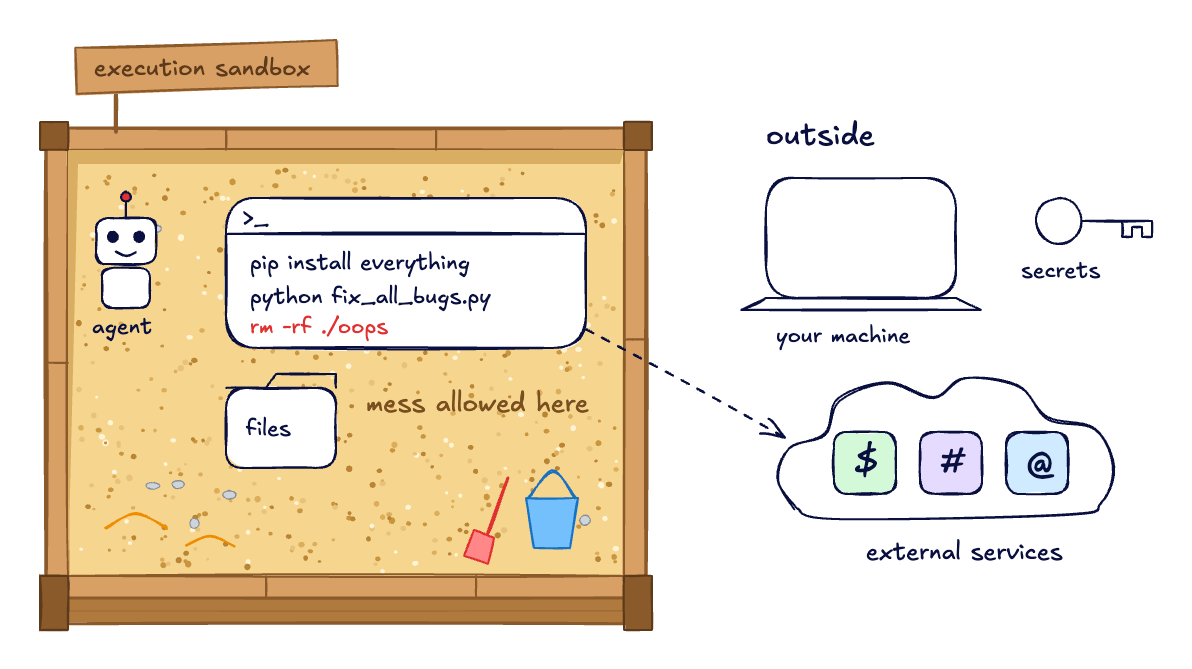
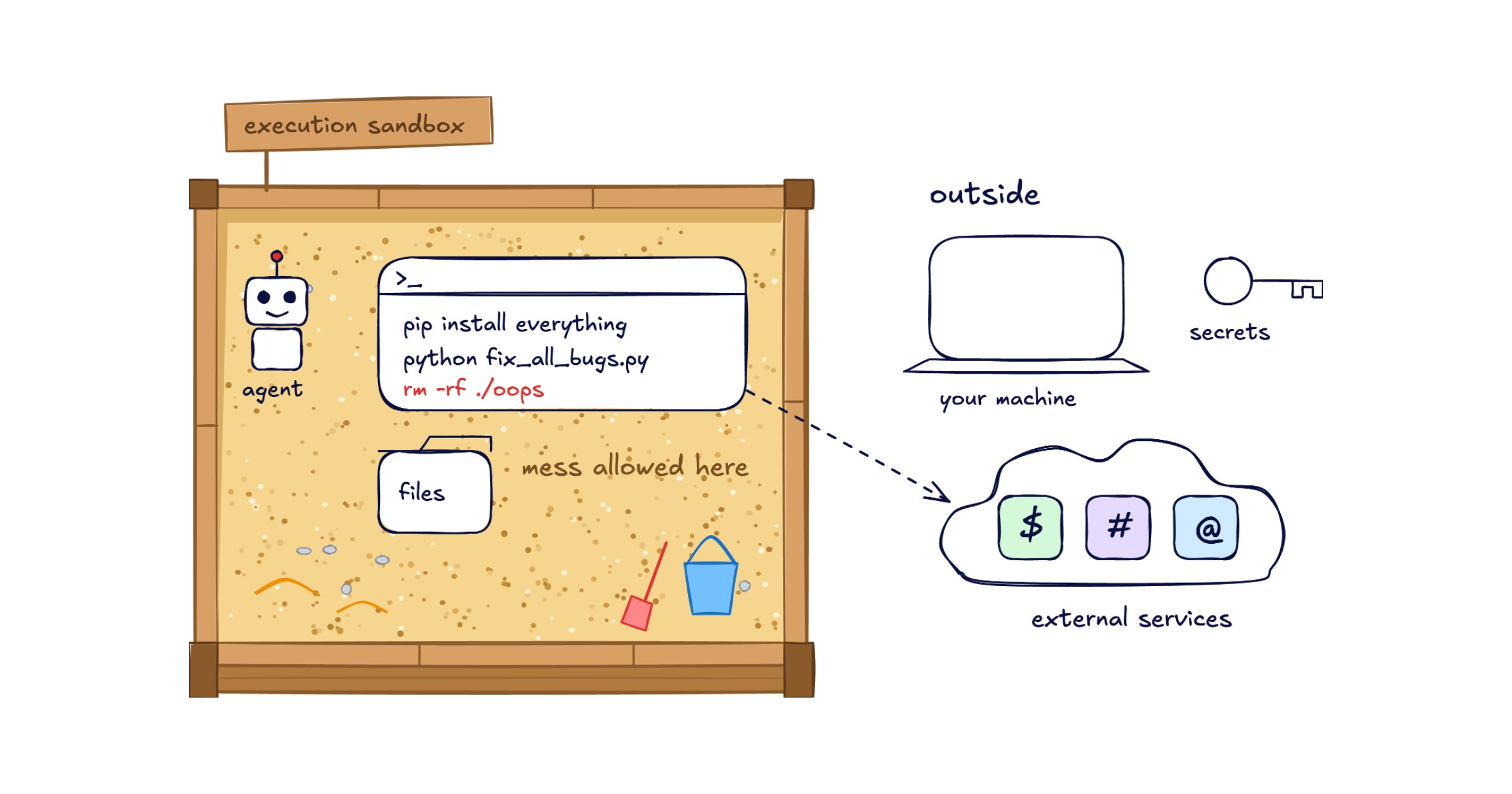
This is the most common meaning. The agent writes code or shell commands, and they run in a separate container or microVM with its own filesystem, network rules and resource limits. If the code is wrong, or a prompt injection makes it hostile, the damage stays limited.
There are many to choose from:
- E2B gives agents isolated sandboxes to run code, process data and use tools.
- Daytona sandboxes each have their own kernel, filesystem and network stack.
- Modal Sandboxes are containers for running untrusted code.
- Vercel Sandbox runs agent-generated code in isolated Linux microVMs.
- Cloudflare’s Sandbox SDK and Docker Sandboxes do the same on their platforms.
- Agent Sandbox is an open-source Kubernetes project for running agents in isolation, and the OpenAI Agents SDK gives each agent a Unix-like sandbox of its own.
What an execution sandbox doesn’t decide is what’s on the other end of the network. When the agent’s code calls GitHub or a payments API, the call either goes to the real service or is blocked.
2. Coding-agent sandboxes: what the agent is allowed to do on your machine
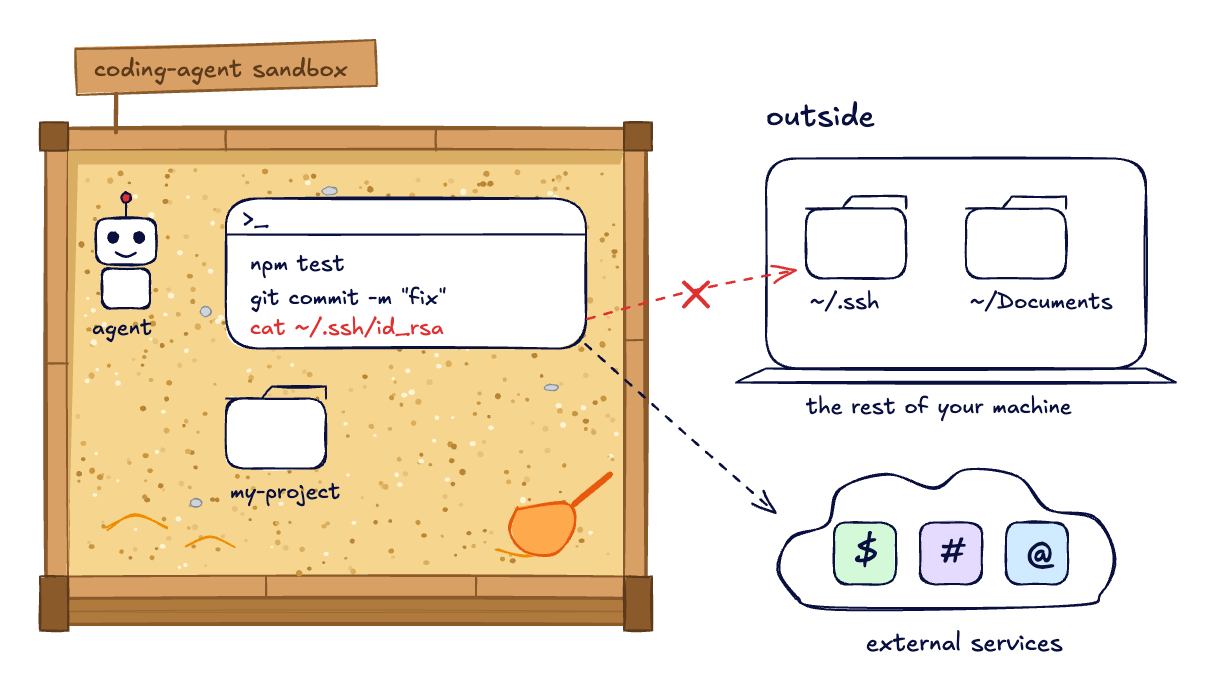
Coding agents work on your laptop, next to your files and credentials. Most of them now ship a sandbox of their own. Claude Code’s sandbox is a boundary the operating system enforces around the shell commands Claude runs. Codex and Gemini CLI have their own versions.
People turn it on for two reasons: security and fewer permission prompts. The boundary limits what the agent’s commands can reach, so a bad command or a prompt injection can only reach the files and network hosts the sandbox allows. And because of that limit, the agent can run commands without asking each time.
It answers the same question as an execution sandbox, closer to home: what the agent can touch. It says nothing about the APIs the agent calls.
3. Browser and computer-use sandboxes
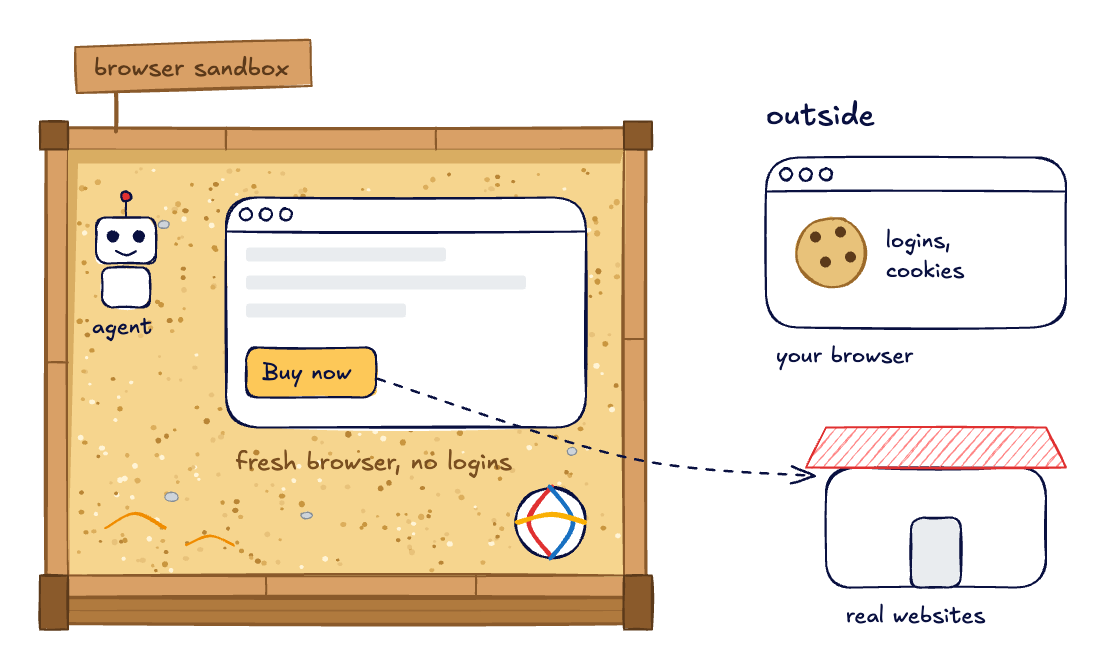
Agents that work through websites need a browser. A browser sandbox gives each session a fresh, disposable browser or desktop. Google’s Agent Platform has computer-use sandboxes, and Browserbase runs browser sessions for agents.
It keeps the agent out of your own browser, with its logins and cookies. If the agent submits a form or places an order, though, that still happens for real.
4. Vendor sandboxes: the test mode of the APIs your agent calls
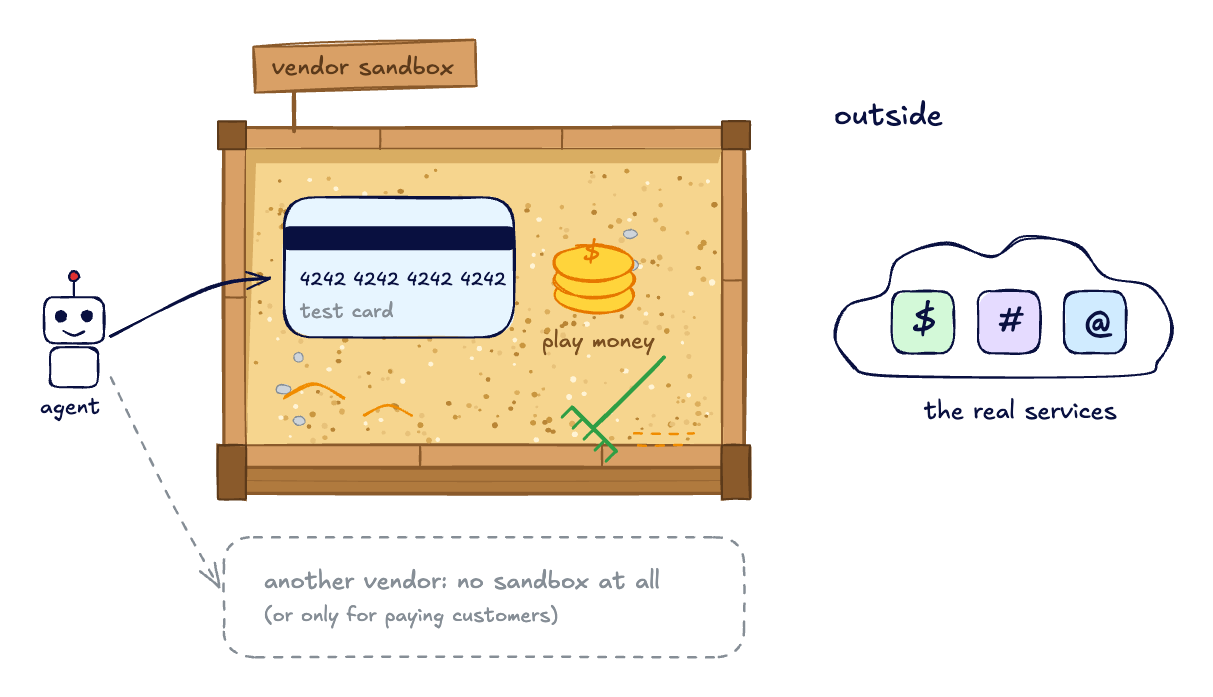
Before agents, this is what “sandbox” usually meant, and for many developers it still does. Stripe, PayPal, Plaid and Salesforce all have one: test keys, test accounts, no real money. Stripe now writes for agents directly. Its sandbox docs explain how a coding agent can create an anonymous sandbox with working API keys from the Stripe CLI, without registering an account.
For testing an agent, vendor sandboxes have limits:
- Not every vendor has one, and some only open it to customers.
- The ones that exist often cover part of the API, with little data.
- You usually can’t make them fail on cue: a timeout, a rate limit, a 500.
- Shared test accounts change between runs, so two runs don’t start from the same place.
We’ve written more about API sandboxes and about what to do when the vendor has no sandbox.
5. Simulated environments: a world to test the agent in
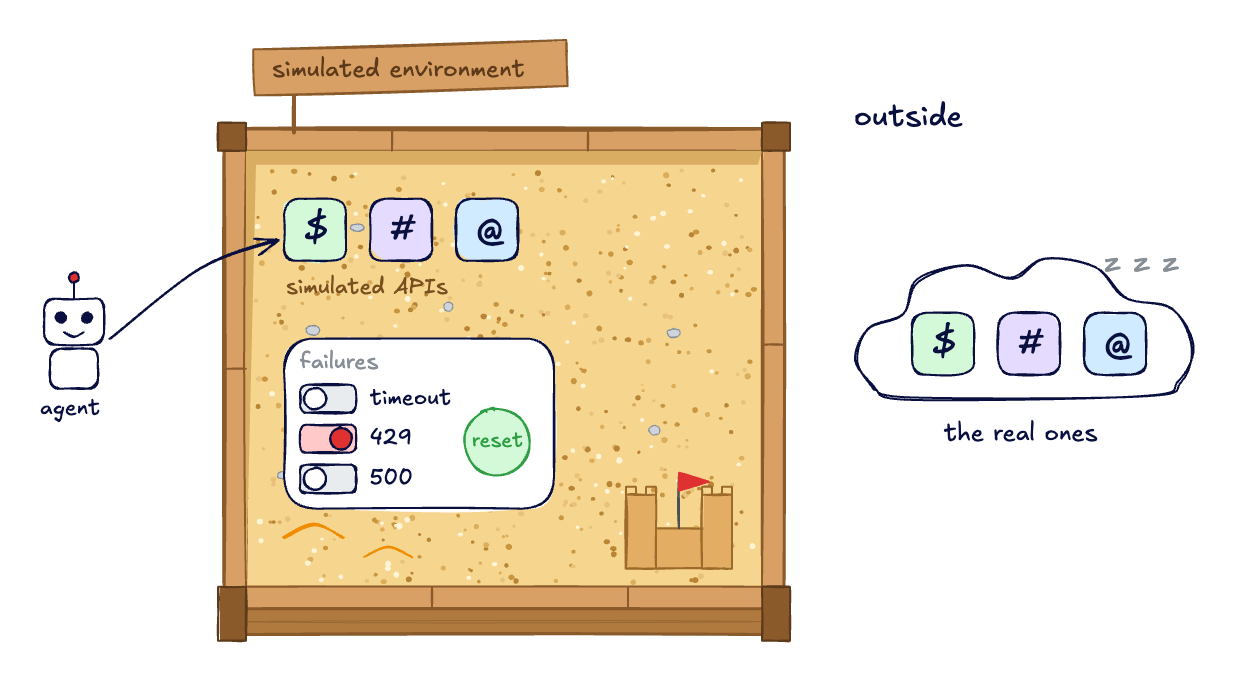
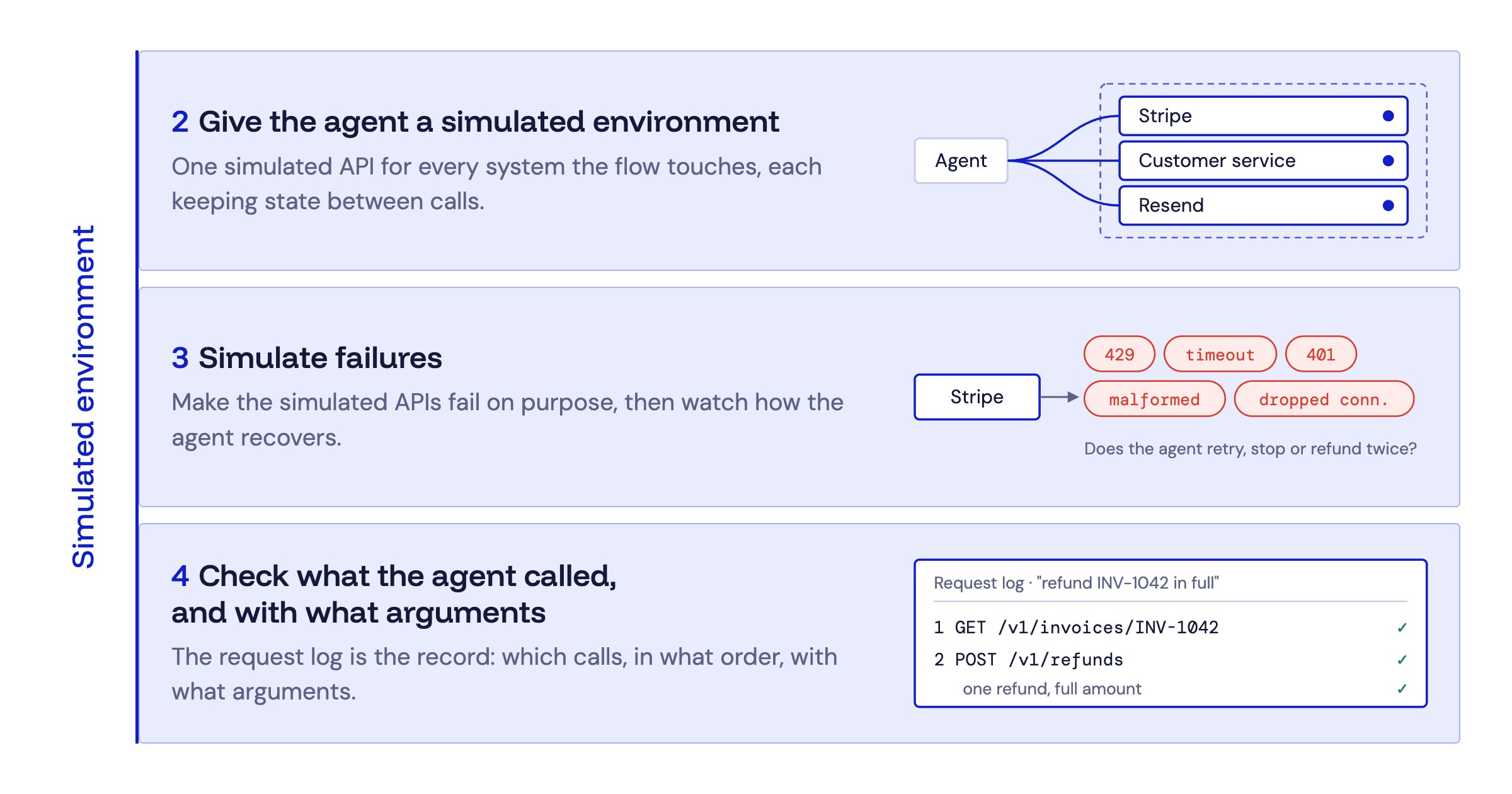
The fifth meaning turns the question around. Instead of keeping the agent in, it controls what the agent talks to. The APIs the agent uses are simulated. They behave like the real ones, with realistic data and state, and they reset between runs. You can switch on failures when you want them.
This matters more for agents than for ordinary code. An agent doesn’t do the same thing twice, so to see how it behaves you need many runs from the same starting point. You also need to see what it does when an API fails, which real APIs rarely do on cue. And nothing real happens: no payments go out, no customer gets an email. We walk through it in how to test AI agents that depend on APIs you don’t control.
There are a few ways to get one:
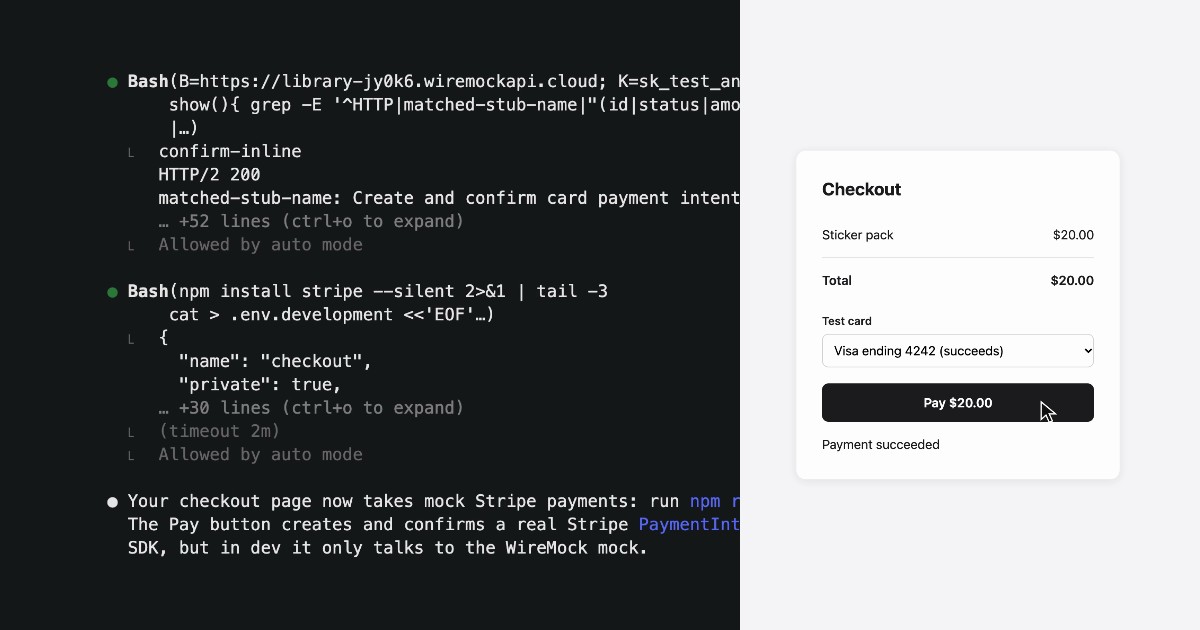
- WireMock Cloud is environment simulation as infrastructure: simulated environments that spin up on demand, with realistic, stateful responses and failure scenarios.
- LocalStack emulates AWS, Azure and Snowflake APIs locally, and offers agents local sandboxes for reproducing and fixing bugs.
- Qovery spins up a full copy of an application’s stack for each agent task.
Which does each sandbox come into play?
It helps to split the five into two jobs. The first four sandbox the agent: they limit what it can touch. The fifth sandboxes the external world: it controls what the agent talks to. As agentic work scales, most teams end up needing both. How much of each depends on what you build:
- You use coding agents to build your own software? Start by sandboxing the agent: its built-in sandbox or an execution sandbox. Add simulated APIs when it writes or tests code that calls other services.
- You’re building an agent your customers will use? You need both. The agent itself calls payment, ticketing and other APIs, so you need a world where you can run it many times, with failures, before it meets the real ones.
Some rules of thumb:
- The agent runs code you didn’t write? Use an execution sandbox.
- A coding agent on your laptop? Turn on its built-in sandbox.
- The agent works through websites? Give it a browser sandbox.
- You want to know how the agent behaves with the APIs it calls? Test it in a simulated environment, then do a last check against the vendor’s sandbox.
Often you need both at once: a coding agent in a sandbox, calling simulated APIs, using the same code. One engineer we spoke to described it like this: “[Our simulated API] has to run on developer machines, on our build system, and also inside AI sandboxes.”
FAQ
What does an agent sandbox do? It lets an AI agent work without putting your real files, accounts or data at risk. Depending on the kind, it isolates the code the agent runs, what a coding agent can do on your machine, the browser it uses, or the APIs and data it works with.
Is a sandbox the same as a test environment? Not quite. Most agent sandboxes are about containment: they stop the agent from doing damage. A test environment is about learning how the agent behaves. A simulated environment does both for the agent’s APIs.
What’s the difference between an agent sandbox and an API sandbox? An agent sandbox usually isolates the agent. An API sandbox is a safe copy of an API for testing. The agent’s code can run in the first and call the second.
Is Claude Code’s sandbox enough on its own? It limits what Claude’s shell commands can reach on your machine, which is what it’s for. It doesn’t give the agent safe APIs to call. For that you need vendor sandboxes or simulated APIs.
Is an “AI sandbox” the same thing? Sometimes. The term is also used for regulatory sandboxes, where regulators let companies trial AI products under supervision, and for internal tools where staff can try AI safely.